
PHP2Shell: The Critical PHP Flaw That Can Hand Your Server to Hackers
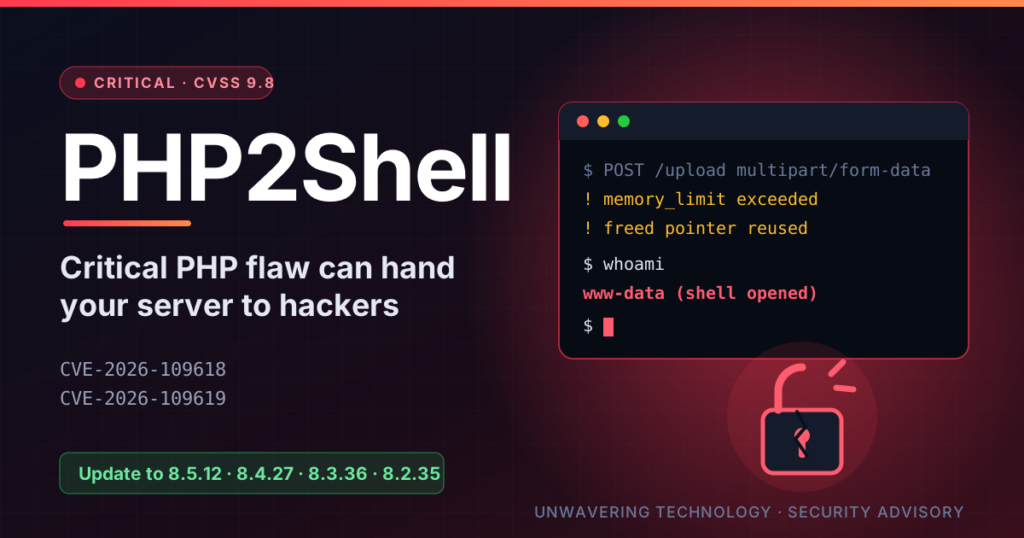
PHP2Shell: The Critical PHP Flaw That Can Hand Your Server to Hackers
If your website, online store or web app runs on PHP, this affects you.
In short
Two bugs in the PHP engine itself: CVE-2026-109618 and CVE-2026-109619.
Almost every PHP website, including Magento, WooCommerce, WordPress, Laravel, Drupal and Joomla, even if your own code is perfectly clean.
Full server takeover, plus silent leaks of passwords, API keys and session tokens from server memory.
Upgrade to PHP 8.5.12, 8.4.27, 8.3.36 or 8.2.35, then restart PHP. Nothing in your app code can fix this.
Can’t patch this hour? Use the temporary mitigations below, and talk to us.
What is PHP2Shell?
PHP2Shell is the name for two memory-safety bugs in the core PHP engine, the software that runs underneath your website. Because the flaw sits in PHP itself, a store with flawless code is still exposed.
| CVE | Type of bug | What an attacker gets |
|---|---|---|
CVE-2026-109618 | Use-after-free in the session upload-progress handler | Remote code execution, plus leaking of server memory |
CVE-2026-109619 | Use-after-free in fatal-error handling, and OPcache type confusion | Remote code execution |
The PHP security team rates both at 9.2 out of 10 (CVSS v4.0), and the US NVD scores them 9.8 (CVSS v3.1). The researchers at Wiz, Calif and OpenAI who found them call these some of the most serious PHP bugs ever disclosed.
Who is affected?
Almost everyone running PHP on a web server. The vulnerable code goes back to PHP 5.4, released in 2012, and the default configuration is exploitable.
- Every PHP version before 8.5.12, 8.4.27, 8.3.36 and 8.2.35.
- PHP 8.1, 8.0, 7.x and older get no official release. They stay vulnerable unless your host, Linux distribution or an LTS vendor backports the fix.
- Both common setups: Apache with
mod_phpand Nginx/Apache with PHP-FPM. PHP flagsmod_phpas the highest-risk setup. - Every PHP application. Researchers proved login-free takeover on Magento 2.4.9, WordPress, Drupal, Joomla, Laravel 13, Symfony 8, Nextcloud, phpMyAdmin, Roundcube, MediaWiki and WHMCS. WooCommerce and Shopware stores are exposed too.
How PHP2Shell takes control of your server
The attack needs no login, no plugin bug and no admin access. It only needs your server to accept a file-upload style request, which every PHP site does by default.
The attack chain: 4 steps, 2 outcomes. The same crash can be used two ways: to leak secrets from memory, or to run the attacker’s code. The leak often feeds the takeover.
- The attacker sends a crafted upload request. It is a
multipart/form-dataPOST, the same format a browser uses to upload a file. PHP reads it before your application code even starts. - PHP is pushed past its memory limit. The request is built to hit
memory_limitat exactly the wrong moment, so PHP aborts with a fatal error. - PHP leaves stale pointers behind. The crash frees the request’s memory but forgets to reset some internal state, such as the session upload-progress data or the last error backtrace.
- The next request reuses the poisoned worker. PHP-FPM and
mod_phpreuse worker processes. The attacker’s follow-up requests land in the same worker and fill the freed memory with data they control. - PHP treats attacker data as its own. This corrupts memory in a controlled way. Combined with the memory leak below, the attacker learns the exact memory layout and turns the corruption into running their own code.
The Heartbleed-style leak
CVE-2026-109618 can also be used on its own to read your server’s memory. PHP sends chunks of freed memory back to the attacker inside a PHPSESSID cookie, even if your app never uses sessions. That memory can hold other customers’ passwords, session tokens, payment-gateway API keys, database credentials and even TLS private keys.
What an attacker does once inside
Code running as your web user typically means:
- A web shell or backdoor that survives even after you patch.
- Card skimmers (Magecart) injected into checkout pages.
- Theft of the customer database, admin accounts and
env.php/.envsecrets. - Defacement, SEO spam, crypto-miners or ransomware, and a foothold to attack other sites on the same server.
Why this one is so urgent
Attackers started before the patch existed, and a ready-made exploit tool is now public. Expect mass, automated scanning of every PHP site on the internet in the coming days.
- It leaked early. Details went public on 20 October, two days ahead of the planned disclosure.
- Attacks began before the fix. Cloudflare saw exploitation at 07:43 UTC on 21 October, more than six hours before PHP released patches.
- A one-shot exploit tool exists. The
php2shelltool chains both bugs into a single login-free attack. - AI made it practical. Wiz says frontier AI models let one researcher build and adapt working exploits in days instead of months. Attackers have the same tools.
- Huge reach. PHP powers roughly 70% of websites, per Wiz.
Timeline (UTC)
- 11 Aug 2026Calif reports the first bug to PHP
- 24 Aug 2026Wiz Research reports the bugs to PHP
- 20 Oct 2026Details leak; PHP announces an emergency release
- 21 Oct 2026, 07:43Cloudflare reports the first attacks
- 21 Oct 2026, 14:00PHP releases 8.5.12, 8.4.27, 8.3.36 and 8.2.35
The fix: update PHP and restart it
The only complete fix is a patched PHP build on the server. No Magento patch, WordPress plugin or firewall rule inside your app can fix it, because the bug triggers before your code runs.
| Your PHP branch | Update to | Official support |
|---|---|---|
| 8.5 | 8.5.12 | Yes |
| 8.4 | 8.4.27 | Yes |
| 8.3 | 8.3.36 | Yes |
| 8.2 | 8.2.35 | Yes, security fixes only |
| 8.1, 8.0, 7.4 | No official release | Source backports only; upgrade or use a vendor backport |
Shared hosting or cPanel/Plesk
Ask your host to confirm the patched PHP build is live for your account. Then use the PHP selector to move off 8.1 or older.
Ubuntu / Debian VPS
Update packages from your distribution or the Ondřej Surý (sury.org) repository, which also backports to old branches. Then restart every PHP-FPM pool:
sudo apt update && sudo apt upgrade
sudo systemctl restart php8.3-fpm    # repeat for each installed version
sudo systemctl reload nginx          # or: sudo systemctl restart apache2
RHEL / AlmaLinux / Rocky
If you use Remi’s repository, its update was not ready on 21 October. Switch to your distribution’s PHP packages or build from source until it is.
Laravel Forge, Docker and managed platforms
On Forge, upgrade PHP from the server panel, then restart queues and Horizon. For containers, pull the patched official php image, rebuild and redeploy every service.
php -v only shows the command-line PHP, not the one serving your site. Confirm the version from a page served by PHP-FPM, for example a temporary phpinfo() page you delete straight after. Distribution packages may keep an older version number with the fix backported, so check the package changelog for the two CVE numbers.
Can’t patch right now? Buy time with these stopgaps
These steps reduce risk for a few hours or days. They are not a fix, and you should remove them once PHP is updated.
1. Block upload-style requests at the web server
Every known trigger is a multipart/form-data request. Blocking it stops the attack, but also breaks file uploads (such as product images in the Magento admin) and some checkout forms. Place a test order after adding it.
Nginx, inside each server block that passes requests to PHP:
if ($http_content_type ~* "multipart/form-data") {
    return 403;
}Apache, inside each <VirtualHost> that serves PHP:
RewriteEngine On
RewriteCond %{HTTP:Content-Type} multipart/form-data [NC]
RewriteRule ^ - [F]
If you use Cloudflare, a WAF rule that blocks multipart requests to your PHP paths does the same job at the edge.
2. Go read-only or offline
Allowing only GET and HEAD requests keeps your catalogue browsable while blocking logins and orders. For full safety, stop PHP-FPM and serve a static maintenance page. The built-in maintenance modes in Magento and WordPress do not help, because PHP parses the request before they kick in.
3. Adjust PHP settings (partial only)
Set session.upload_progress.enabled = 0 and memory_limit = -1 for every PHP-FPM pool, then reload PHP-FPM. On its own this is not enough, and an unlimited memory limit lets one request eat all server RAM, so watch memory closely.
Think you were already hit? What to check after patching
Patching closes the door, but it does not remove anyone already inside. If your server was exposed after 20 October, assume your secrets may have leaked and check for intruders.
Warning signs in your logs
- Bursts of
multipart/form-dataPOST requests followed by “Allowed memory size exhausted” errors or repeated HTTP 500 responses. - Unusually large or garbled
PHPSESSIDcookies in responses. - PHP-FPM workers crashing or restarting more often than normal.
- New or recently modified PHP files you did not upload, unknown admin users, or new cron jobs.
- Changed checkout or payment templates, or unfamiliar JavaScript on checkout pages.
After patching, do this
- Rotate secrets. Change database passwords, payment-gateway and API keys, admin passwords and encryption keys stored in
env.phpor.env. The memory leak could have exposed them. - Log everyone out. Invalidate active sessions for admins and customers.
- Consider reissuing your TLS certificate if the server holds its own private key.
- Scan for malware and backdoors. Compare files against a clean release and check for web shells and skimmers.
- Review admin accounts, SSH keys and cron jobs for anything you did not add.
Your PHP2Shell checklist
Need an expert to handle it? Talk to Unwavering Technology
If you’d rather not touch a live production server yourself, our team can patch, verify and clean up for you.
We have been building and maintaining PHP, Laravel, Magento 2 and WooCommerce sites for over 12 years, for businesses in India, the Gulf, the UK and the US. For PHP2Shell we offer:
- Emergency patching: PHP upgraded on every server and container, with downtime kept to minutes.
- Safe upgrades from old PHP: moving Magento, Laravel or WordPress off PHP 8.1 or older and testing that checkout, admin and integrations still work.
- Compromise check: log review, malware and web-shell scan, and checkout skimmer check.
- Secret rotation and hardening: new keys and passwords, Cloudflare/WAF rules and server hardening so the next vulnerability hits a tougher target.
Get your server checked today: email us at sales@unwaveringtechnology.com, message us on WhatsApp at +91 9872592099, or book a call. Tell us your platform and hosting provider, and we’ll reply with a plan and a quote.
Email us WhatsApp
Leave a Reply